The Master ANSI Blueprint for Terminal Text Styling and Color Composition
- June 1, 2026
- 9 min read
- Debugging and troubleshooting , Software quality
Table of Contents
In my basic ANSI color guide, I used a simple pattern:
1\x1b[<style>;<text_color>;<bg_color>m
As soon as you start using extended colors, like \x1b[38;5;67m or full RGB values, you’ll notice that this “fixed slots” model no longer fits.
That’s because terminals don’t actually interpret these sequences as fixed positions. Instead, they process a parameter sequence, one parameter after another.
This mechanism is called Select Graphic Rendition (SGR).
This model enables combining styles, 256-color values, and TrueColor RGB in a single sequence.
SGR Parameter Model
The general form is:
\x1b[ <param> ; <param> ; <param> ... m
└─┬─┘ └──────────────┬──────────────┘└┬┘
Prefix               |              final byte
                     |
zero or more semicolon-separated numeric parameters (empty means 0)
The prefix \x1b[ signals the start of the sequence.
It consists of the ESC character (ASCII 27, represented as \x1b) followed by [, which together form the Control Sequence Introducer (CSI).
The final byte m indicates that the parameters are for text styling.
Everything between [ and m is interpreted as a list of numeric parameters, separated by semicolons.
The terminal reads them from left to right, combining their effects into a single styling state. Later parameters override earlier ones when they affect the same attribute. This makes SGR order-flexible for independent parameters, but strictly sequential for multi-part instructions like color modes.
Most real-world usage falls into four practical categories:
0→ Reset / Normal (The Global Reset Command)1-9→ Text Style Parameters (bold, dim, italic, etc.)- Foreground (Text) Color → Sets the text color using one of three depths:
30–37,90–97→ Standard 16-Color Parameters38;5;<n>(38followed by5and then followed by a color ID parameter) → The 256-Color Palette (8-Bit Mode)38;2;<r>;<g>;<b>(38followed by2and then followed by 3 parameters for RGB values) → The TrueColor RGB Palette (24-Bit Mode)
- Background Color → Sets the text canvas backing using one of three depths:
40–47,100–107→ Standard 16-Color Parameters48;5;<n>(48followed by5and then followed by a color ID parameter) → The 256-Color Palette (8-Bit Mode)48;2;<r>;<g>;<b>(48followed by2and then followed by 3 parameters for RGB values) → The TrueColor RGB Palette (24-Bit Mode)
If you need the full specification, including rarely used or obscure parameters, the xterm control sequence documentation is one of the most complete and widely used reference.
Tip
Parameter Order vs. Grouping Rules
The terminal does not enforce a fixed parameter order for independent traits.
As long as your parameters do not directly conflict with each other, they can be shuffled in any sequence. All of the following produce the exact same result (bold red text on a blue background):
\x1b[1;31;44m(Style first)\x1b[44;31;1m(Background first)\x1b[31;1;44m(Color first)
However, there is one strict exception to this flexibility:
👉 Multi-part parameters must stay grouped and in order.
For example:
38;5;<n>(256-color mode)38;2;<r>;<g>;<b>(RGB mode)
These are interpreted as single instructions with sub-parameters.
Splitting or reordering them will break the sequence.
Terminal Compatibility Notes
Not all terminals implement SGR consistently:
- Some ignore
italic (3)orblink (5)(e.g.: Legacy Windows PowerShell). bold (1)may render as bright color instead of increased weight (e.g.: common in older Windows consoles).- TrueColor (
38;2) is not guaranteed in older environments.
These differences arise from variations in terminal emulators and their level of ANSI support.
If you are writing CLI tools, always assume partial support and test in:
- xterm-compatible terminals
- macOS Terminal / iTerm2
- Windows Terminal / legacy console
When portability matters, prefer:
- 16-color or 256-color modes
- explicit resets (
0,22,24, etc.)
Warning
In some programming environments, the ESC character used in ANSI sequences may not be written as the literal \x1b escape sequence.
Instead, it may need to be generated explicitly as a character value.
For example:
- Windows PowerShell does not interpret
\x1bescape sequences in strings. Use$([char]27)instead. - C and Bash may also use
\033(octal) or\e(common in shell scripts). - JavaScript may use
\u001b(Unicode).
This affects how ANSI sequences are constructed in code, but not how terminals interpret them once emitted.
ANSI rendering still depends on the terminal emulator, and older terminal emulators may have limited or no support for SGR sequences.
1. The Global Reset Command
The single most critical parameter in the entire SGR system is the number 0.
This code does not modify a specific style; it clears the terminal’s internal rendering canvas completely.
0: Reset / Normal — Instantly strips out all active foreground colors, background fills, text weights, and text decoration styles, reverting the text stream to your terminal’s clean default profile.
Note that no parameter in the sequence (\x1b[m) is equivalent to using only 0 (\x1b[0m).
Warning
Crucial Rule: The Left-to-Right Override
Because the terminal reads your semicolon-separated parameters sequentially from left to right, the position of 0 in a combined chain changes everything:
- Safe Reset + Style:
\x1b[0;1;31mclears all previous terminal states first, then safely applies your new bold red text styles. - The Killer Reset:
\x1b[1;31;0mturns on bold and red, but then immediately executes the0reset command. The reset completely overrides the preceding values in the same tag, outputting plain, unstyled text.
Note: 0 resets all attributes, but individual reset codes (22, 24, etc.) are often safer when you want to preserve colors.
2. Text Style Parameters (Weights & Textures)
These single-digit values modify the structural look of your font. You can drop them anywhere in your parameter list.
| Value | Style Effect | Technical Context |
|---|---|---|
1 | Bold | Increases font weight or intensity |
2 | Faint / Dim | Decreases intensity; useful for secondary logs |
3 | Italic | Slants text (requires a terminal font with italic variants) |
4 | Underline | Adds a straight line below the text |
5 | Slow Blink | Flashes text (less than 150 times per minute) |
7 | Invert / Reverse | Swaps the foreground color with the background color |
8 | Hidden / Conceal | Hides text (useful for passwords or spoilers) |
9 | Strikethrough | Draws a horizontal line through the middle of the text |
You can easily mix different styles together—for instance:
1\x1b[1;3;4m
will give you text that is simultaneously Bold, Italic, and Underlined.
However, be careful when mixing attributes that modify font intensity or state.
For example, combining 2 (Faint/Dim) with 5 (Slow Blink) will often fail.
Because 2 lowers text intensity, most terminal emulators give it priority and will completely disable the blinking effect.
Stick to mixing independent attributes (like weight, slant, and lines) for predictable results.
Targeted Style Resets:
If you need to disable a single style without triggering a global 0 reset, the SGR standard provides specific cancellation codes. Just add 2 in front of the target style:
22: Normal intensity (Turns off Bold1and Dim2)23: Turns off Italic (3)24: Turns off Underline (4)29: Turns off Strikethrough (9)
3. Foreground and Background Color Parameters
3.1. Standard 16-Color Parameters
These codes provide quick access to your terminal’s default system palette theme.
Standard colors:
30–37: Standard Text (Foreground) Colors40–47: Standard Background Colors
High-Intensity Standard colors (aixterm extensions): While not part of the original strict standard, these extensions are universally supported in modern emulators.
90–97: High-Intensity Bright Text Colors100–107: High-Intensity Bright Background Colors
3.2. The 256-Color Palette (8-Bit Mode)
To access a wider variety of shades, you must alert the terminal that you are entering an extended palette mode by using the identifier 5.
Because this requires sub-parameters, it consumes exactly three parameters in your chain:
- Text Color Form:
38;5;<color_id> - Background Color Form:
48;5;<color_id>
The Color ID Breakdown (0 to 255)
0–15: Standard system colors (mirrors the 16-color layout)16–231: A fixed 6×6×6 RGB color cube matrix (totaling 216 shades)232–255: A clean, sequential grayscale ramp from dark charcoal to near-white
Find the full color ID breakdown in the 256-color palette documentation.
How the terminal decodes it:
\x1b[38;5;67m
     |  |  └── 67: Fetch color ID 67 (a slate-blue shade)
     |  └── 5: Set color mode to 8-bit (256 colors)
     └── 38: Target the text foreground
3.3. TrueColor RGB Palette (24-Bit Mode)
If you are building a modern CLI tool and need absolute color precision to match a specific brand, you can feed raw RGB channels directly to your stream. This requires the mode identifier 2 and consumes five parameter slots in your chain:
- Text Color Form:
38;2;<r>;<g>;<b> - Background Color Form:
48;2;<r>;<g>;<b>
Each <r>, <g>, and <b> parameter accepts a standalone value from 0 to 255.
\x1b[38;2;255;100;0m
     |  |  └── 255;100;0: Pure Red (255), Medium Green (100), No Blue (0)
     |  └── 2: Set color mode to 24-bit TrueColor
     └── 38: Target the text foreground
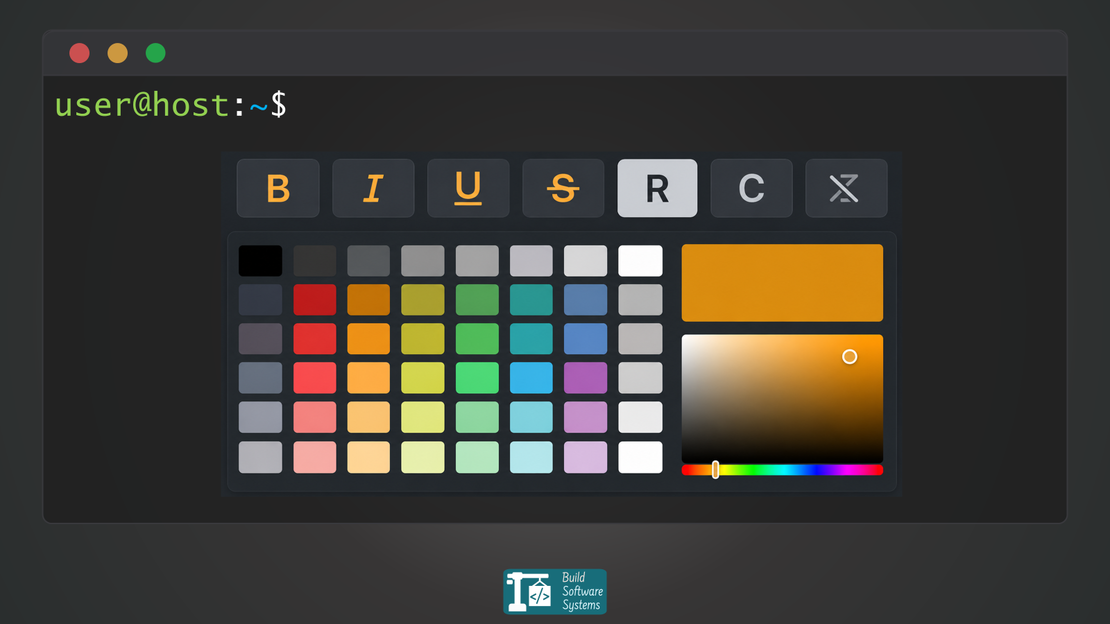
See the RGB Color Picker for reference.
Mixing and Chaining Complex Sequences
Because the SGR parameters are interpreted as a single sequence, you can combine text weights, complex foregrounds, and complex backgrounds inside a single opening tag.
Practical Pattern: Safe Styling Wrapper
A common pattern in CLI tools is:
1\x1b[0;<styles>mYour text\x1b[0m
This ensures:
- no leaked styles from previous output
- no style bleeding into the shell
Example
1\x1b[1;4;38;2;255;100;0;48;5;235m
Parsed left to right:
1;4;→ Flags the text to be both Bold and Underlined.38;2;255;100;0;→ Processes the next 5 parameters to set a TrueColor bright orange text.48;5;235→ Processes the final 3 parameters to assign a deep gray background using index 235 from the 256-color matrix.
Newsletter
Subscribe to our newsletter and stay updated.
Common Mistake
1\x1b[31mError:
Missing reset will color everything that follows.
Always terminate with:
1\x1b[31mError:\x1b[0m
SGR state persists until explicitly changed. Always reset (\x1b[0m) to avoid leaking styles into subsequent output.